Multi-Size Patio Pattern Generator (2, 3, 4, 5+ Sizes) — Free Evaluation

create random patterns for paving slabs with AutoDalle, the best paving pattern generator

AutoDalle is a paving pattern generator that creates random patterns for paving slab.

AutoDalle is a revolutionary tool that simplifies the process of creating visually appealing and unique random paving patterns using mixed size paving slabs or floor tiles.

You’re looking for a 4 size patio pattern generator? look no further you are in the right place!

Since 2008, AutoDalle has been the only software that can create random paving patterns without cuts for all types of terraces (see the exclusion area feature), without any limitations on the number of dimensions of slabs.

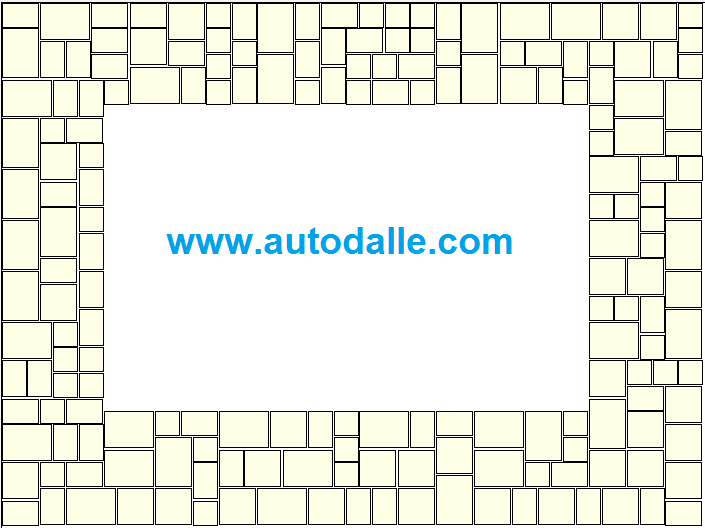
The Roman Opus Pattern is obtained by randomly arranging different kinds of rectangular paving slabs so that the joint thickness is always the same. The following picture is an example of a tiled patio designed with the software.
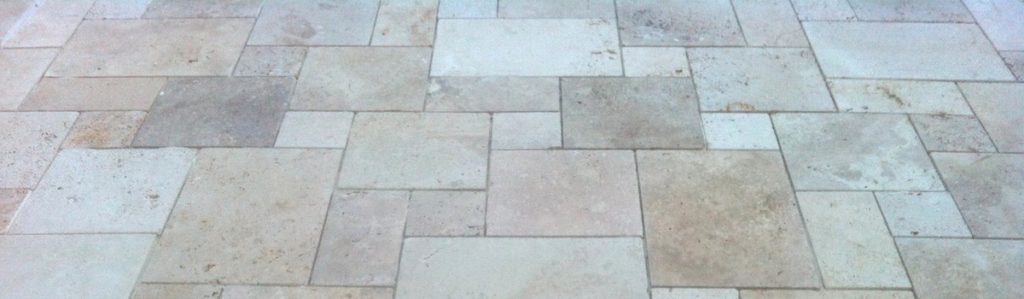
Tiled terrace with opus or Indian sandstone pattern
Terrace tiled with Opus or Indian sandstone pattern

This patio is tiled with 4 sizes of paving slabs.


This multi-size laying technique goes by several names depending on where you are:

  • United States: most commonly called the modular pattern (often specified by piece count, e.g. “4-piece modular pattern” or “3-piece modular”), or the French pattern. Traditionally composed of four coordinated tile sizes, it dates back to the 17th century stone floors of the Palace of Versailles — hence also called the Versailles pattern.
  • United Kingdom: usually referred to as a random layout or Indian Sandstone pattern, since this is the most common material laid this way.
  • General / architectural term: also known as an ashlar pattern or random ashlar, referring to the mix of stone sizes laid with offset joints.

Whether you call it Modular pattern, French pattern, Versailles pattern, Random layout or Ashlar pattern, the underlying principle is the same: several slab sizes are combined so that no two adjacent slabs share the same edge, creating a natural, organic look without long straight joints.

AutoDalle isn’t limited to a fixed 3 or 4-piece module — you can define any number of slab sizes and dimensions, whether you’re working from a pre-cut pattern kit or building a fully custom layout for your patio.

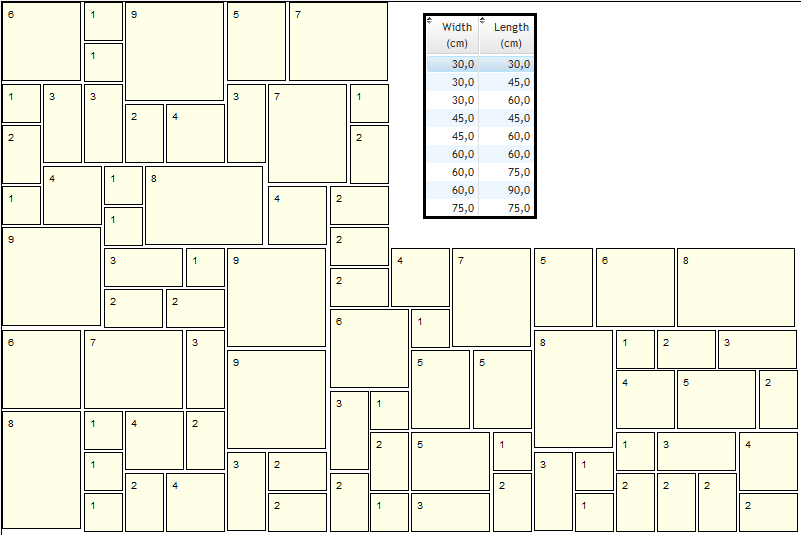
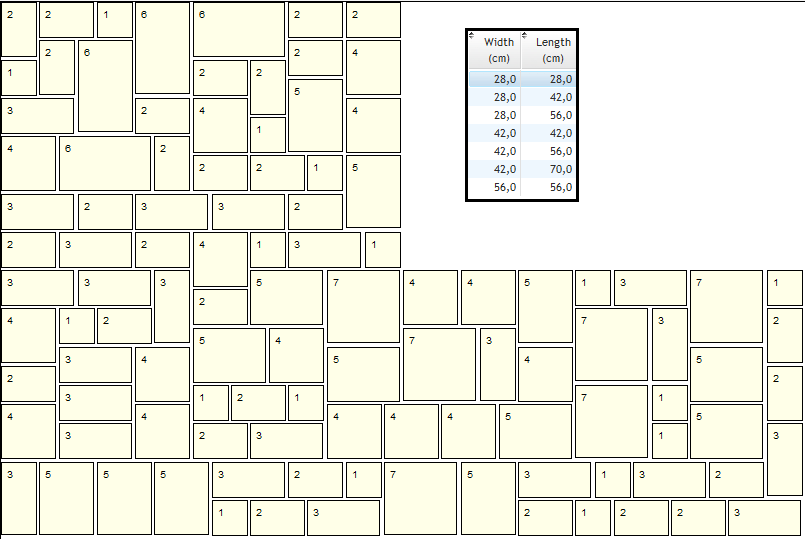
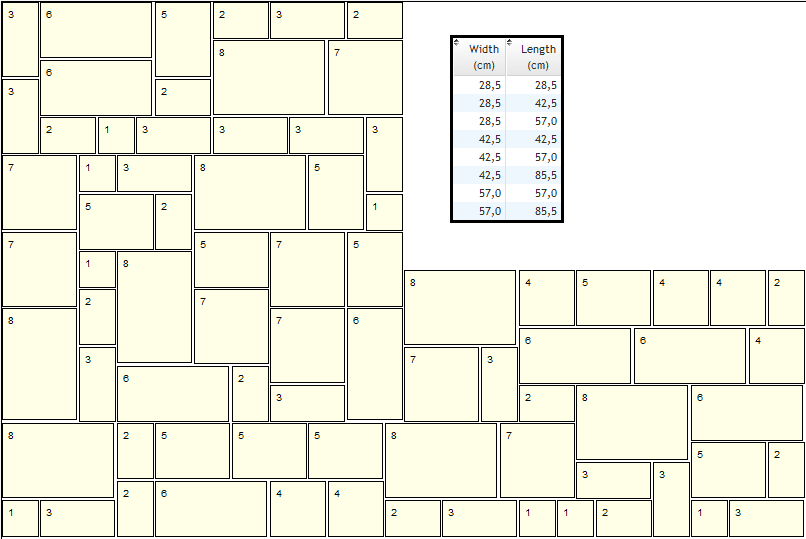
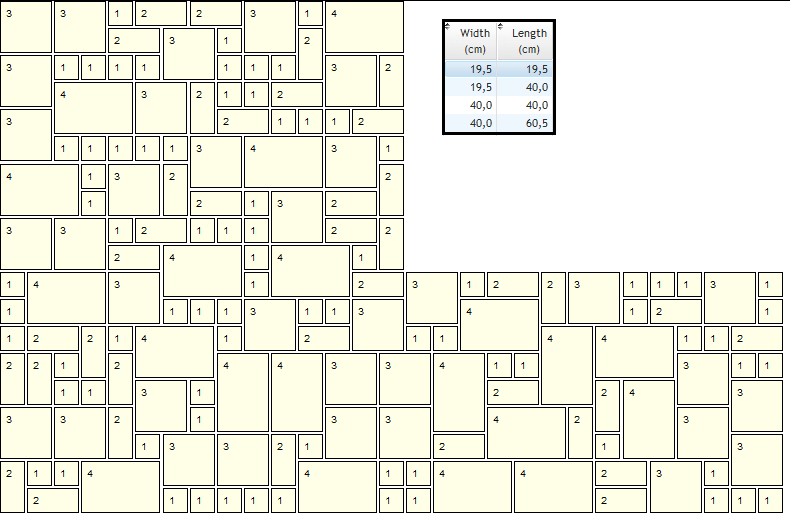
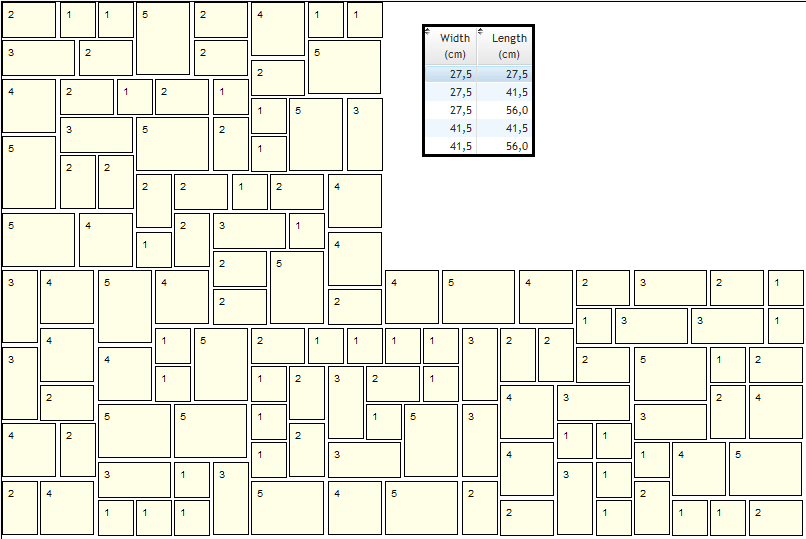
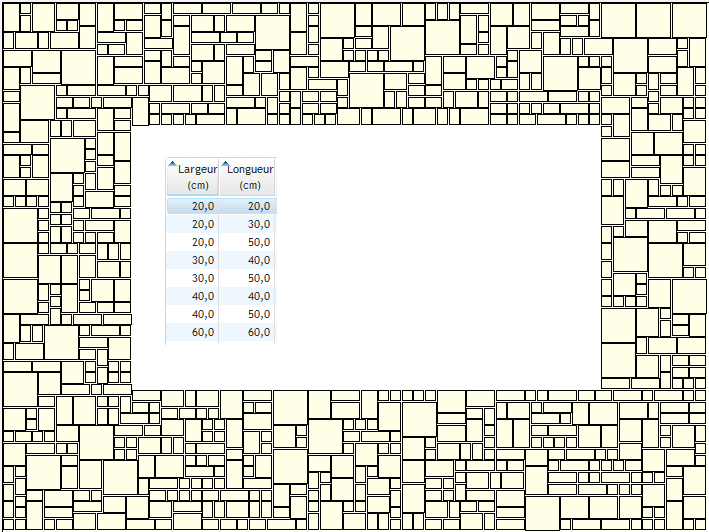
The image on the top of this page gives you two examples created by the software, the paving slabs are randomly arranged and no cutting is necessary to follow the shape of the patio.

AutoDalle will obviously allows you to know exactly the quantity of flagstones needed to realize your paving.

Why choose a multi-size paving pattern generator?

Most online paving pattern generators are built around a fixed number of slab sizes — typically 3, 4 or 5. This works well if your supplier sells a standard pack, but it becomes a problem as soon as you want to mix sizes freely, combine two different packs, or design a custom patio layout.

AutoDalle removes this limitation entirely. Whether you’re working with 2, 3, 4, 5 or more slab sizes, the paving pattern generator adapts to your exact combination — you’re never restricted to a predefined template.

AutoDalle is able to optimize the use of packs and calculate the quantities needed for each type of paving slab.

You are an individual or a company? You are looking for patio ideas, a paving pattern generator ? AutoDalle is the software you need to create all tile layouts for your terrace.

Free evaluation version

You can try AutoDalle for free before purchasing. The free evaluation version lets you generate a full paving pattern for a terrace up to 2m x 2m, with no restriction on the number of slab sizes you use. This gives you a real, working preview of how the software handles your specific slab combination before committing to a license for larger terraces.

Works with any paving material

The Roman Opus pattern generated by AutoDalle suits a wide range of materials, including:

  • Indian sandstone paving (one of the most popular choices for UK patios)
  • Travertine and natural stone
  • Reconstituted stone slabs
  • Porcelain and ceramic tiles in mixed formats

If you already know the slab sizes in your pack (for example a 4-size Indian sandstone project pack), simply enter the exact dimensions and the generator calculates a random, non-repeating layout with uniform joint spacing — no manual trial and error on paper.

From pattern to finished project

Once your layout is generated, you’re not limited to a flat 2D plan:

  • Manually adjust any section by swapping or rotating groups of slabs
  • Apply a cutting template if part of the area requires trimmed slabs
  • Preview the result in 3D with realistic slab and joint textures
  • Export the final layout to DXF format to import into AutoCAD, Blender or your preferred design software
  • Print a full paving report listing exact quantities per slab size, minimizing waste if your slabs are sold in packs

Frequently asked

Can I use more than 5 slab sizes? Yes — AutoDalle has no limit on the number of paving slab sizes you define.

Is there a free trial? Yes, free for terraces up to 2x2m, so you can test the pattern with your own slab dimensions before buying.

Does it work for Indian sandstone patios? Yes, it’s one of the most common materials used with the software’s Roman Opus layout.

Examples of paving slab patterns

Here are some pictures showing examples of paving slabs patterns created with the software. 

With its excluded areas functionality, the software can process all forms of terraces, such as L-shaped terraces, paving around a swimming pool, and even more complex forms.

Watch this video that illustrates the basic operation of the paving generator

YouTube player

How to create a paving layout with AutoDalle

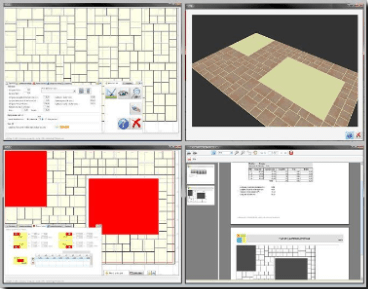
The realization of a paving layout is simply done by following these few steps:

Select a paving model in the predefined list or create your own model by the definition of each slab size: AutoDalle is not limited in the number of paving slabs sizes.

Define the size of your terrace (18 m x 10 m maximum, 59 ft x 32 ft maximum).

Start the process and then the software perfectly adjusts all paving slabs and creates a random paving pattern in just a few seconds.

The random patio layout generated by the program can be manually adjusted by swapping group of paving slabs.

If necessary, you can apply a cutting template to the paving layout.

The 3D preview function gives a realistic view of your terrace pattern.

Finally, print the paving report, you can also export the patio layout to DXF file to import the plan into your favorite CAD software.

Watch the video below for a complete example of a paving pattern design.
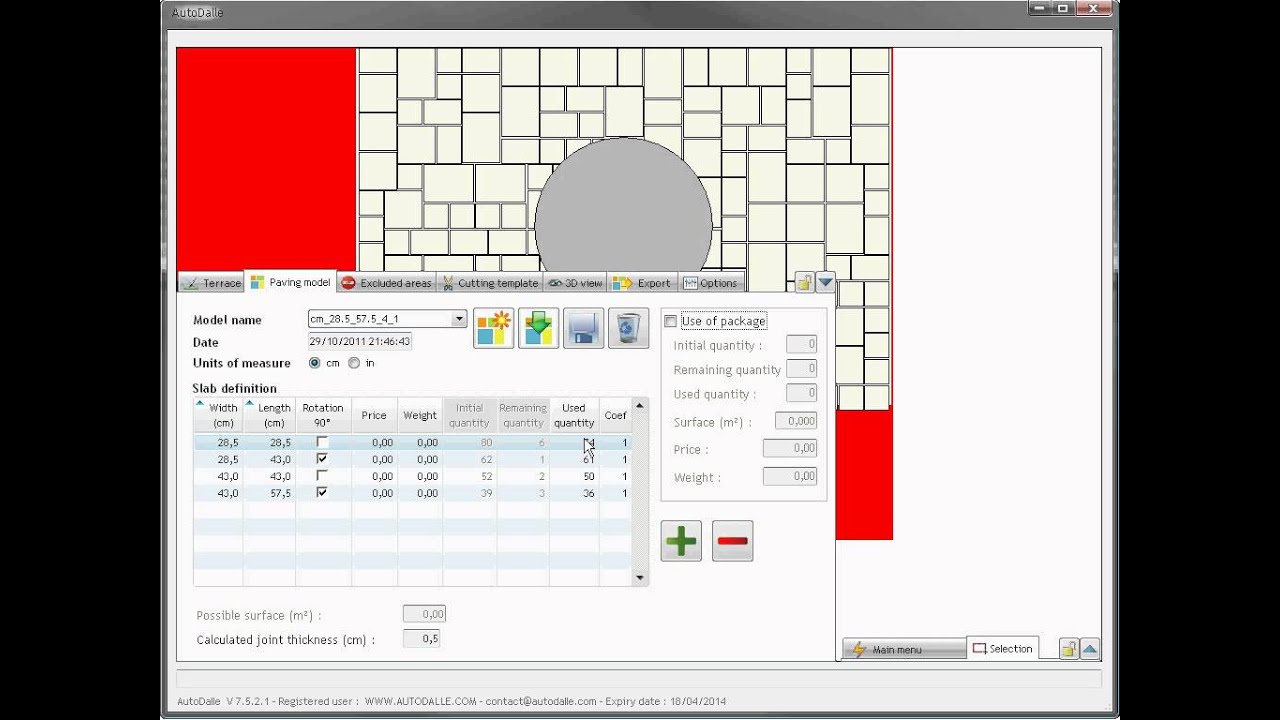
YouTube player

Some AutoDalle users randomly selected...